Multipurpose Business Cards - Volume 05
First impressions are rarely given a second chance. In the professional world, your business card is often the physical manifestation of your brand identity before a client or colleague even hears you speak. While digital networking has surged, the tactile experience of handing over a well-designed card remains a powerful tool for establishing credibility. This is where Multipurpose Business Cards - Volume 05 enters the conversation. Designed for versatility and ease of use, this template collection addresses a common pain point for freelancers, small business owners, and creatives: the need for professional-grade design without the steep learning curve or expensive agency fees.
However, simply downloading a template does not guarantee success. Many users make critical errors when customizing pre-made designs, resulting in cards that look amateurish or fail to print correctly. Understanding the technical specifications and design principles behind Multipurpose Business Cards - Volume 05 can mean the difference between a discarded piece of paper and a kept contact that leads to new opportunities.
Understanding the Versatility of Volume 05
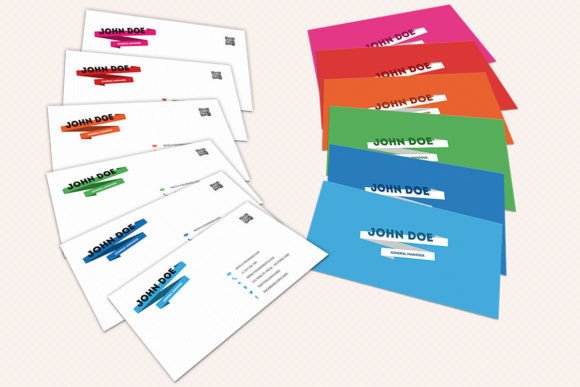
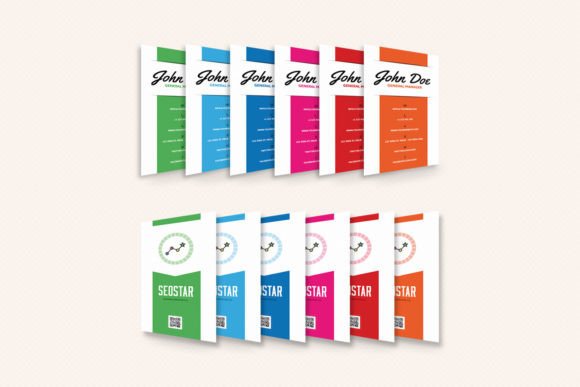
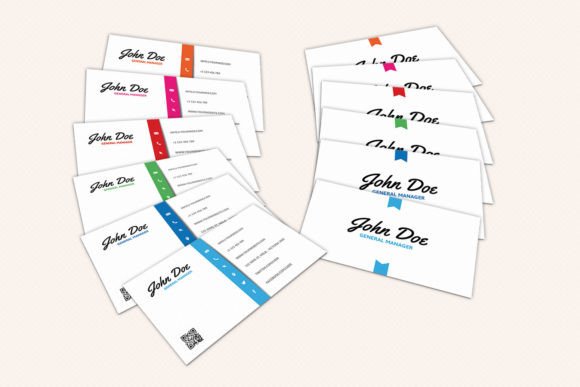
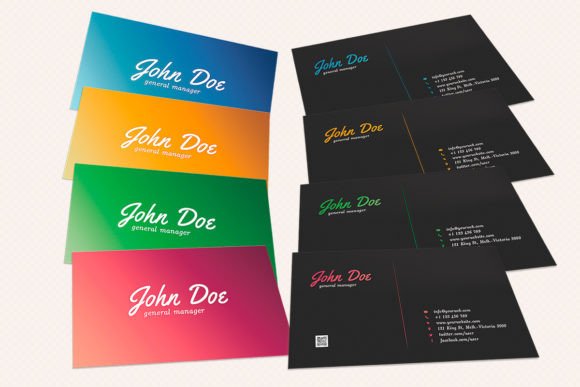
The term "multipurpose" is often used loosely in the digital asset market, but in the context of this specific package, it refers to adaptability across diverse industries. The package includes four distinct color variations: Blue, Green, Orange, and Red. Each hue serves a different psychological purpose in branding. For instance, Blue often conveys trust and professionalism, making it ideal for finance or legal sectors, while Orange suggests creativity and energy, suitable for marketing agencies or startups.
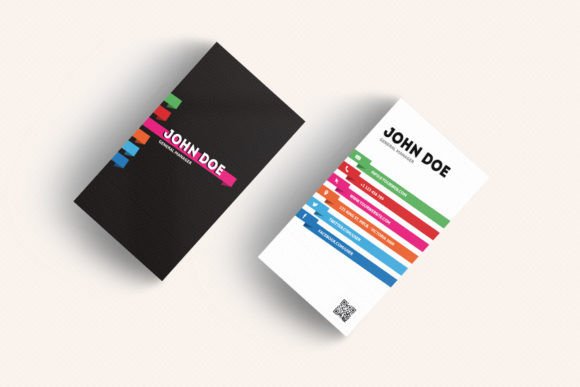
What makes this volume particularly appealing is its structural simplicity. It provides eight PSD (Photoshop) files, covering both the front and back of the card for each color variant. This dual-sided approach allows for a balanced layout where essential contact information sits on one side, while a logo or tagline anchors the other. For beginners who might feel overwhelmed by complex design software, the fact that these files are fully editable and organized with clear layer names is a significant advantage. You do not need to be a graphic designer to create a polished result; you only need to understand basic text placement and image swapping.
Common Pitfalls in Template Customization
Even with high-quality templates like Multipurpose Business Cards - Volume 05, users frequently encounter issues that compromise the final output. One of the most frequent mistakes is ignoring file format requirements. These templates are built in Photoshop CS4 or later. If you attempt to open them in older versions of software or incompatible programs, layers may become flattened or misaligned, forcing you to start from scratch. Always ensure your software environment matches the template’s requirements before beginning customization.
Another prevalent error involves typography and hierarchy. When editing text, many users change fonts arbitrarily, leading to a cluttered or unreadable design. The original designers have likely chosen typefaces that complement the color schemes and layout balance. Unless you have a strong eye for design, it is safer to keep the original font families and only adjust the size and weight to emphasize key information such as your name and job title. Overloading the card with too much text is another common mistake. Remember, a business card is an invitation to connect, not a resume. Keep it concise.
Color Management and Print Readiness
Perhaps the most technical—and easily overlooked—aspect of using these templates is color management. The package specifies that the files are in CMYK mode at 300 DPI. RGB colors, which are standard for screens, will appear duller and less vibrant when printed. If you accidentally convert the document to RGB during editing, the final print may look washed out compared to your screen preview. Always work within the provided CMYK settings to ensure the Blue, Green, Orange, or Red variants appear exactly as intended.
Furthermore, bleed settings are crucial. The dimensions are listed as 2×3.5 inches (or 2.25x3.75 with bleeds). Bleed refers to the extra area around the edge of the design that gets trimmed off during printing. If your background color or images extend all the way to the edge of the canvas without accounting for bleed, you risk ending up with thin white lines along the borders after cutting. Multipurpose Business Cards - Volume 05 includes guides to help you navigate this, but you must ensure that no critical text or logos sit too close to these trim lines. A safe rule of thumb is to keep all essential information at least 0.125 inches inside the cut line.
Evaluating Usability and Efficiency
For entrepreneurs and marketers, time is a valuable resource. The efficiency of a template lies in its organization. Users have praised the layer structure of this volume for being intuitive. However, confusion can arise if users flatten layers prematurely or delete placeholder elements without replacing them. Before you begin, take a moment to explore the layer panel. Identify where the text boxes, background shapes, and logo placeholders reside. This preliminary step prevents accidental deletions and streamlines the editing process.
Additionally, consider the medium of distribution. Are you handing these out at networking events, or are you sending them digitally? While the physical print quality is optimized for 300 DPI CMYK, having a web-optimized version is also wise. You can duplicate the artboard, convert it to RGB, and save it as a JPEG for email signatures or LinkedIn profiles. This dual-purpose approach maximizes the utility of the single purchase, ensuring your brand looks consistent whether seen on paper or a screen.
Final Checks Before Printing
Once you have customized your card using Multipurpose Business Cards - Volume 05, resist the urge to hit print immediately. Perform a final review. Check for spelling errors—a typo on a business card can undermine the professionalism you are trying to convey. Verify that your phone number and email address are correct and clickable if used digitally. Also, ensure that any embedded images are high-resolution; low-quality images will pixelate when printed, detracting from the clean aesthetic of the template.
If you are printing at home, test a single copy first to check alignment and color accuracy. If using a professional printer, send a proof PDF. Most importantly, choose the right paper stock. A flimsy card stock can make even the best design look cheap. Opting for a slightly heavier paper or a matte finish can elevate the perceived value of your brand instantly.
In conclusion, Multipurpose Business Cards - Volume 05 offers a robust, flexible solution for anyone looking to establish a professional presence. By understanding its technical specifications, respecting the design hierarchy, and avoiding common print errors, you can produce business cards that effectively communicate your value. Take the time to edit thoughtfully, respect the guides, and present your brand with confidence. Your next big opportunity might just be waiting on that card.